




Ophaya Digital Smart Pen Smart Notebook and Borad Set for Note Taking|Thanksgiving Gifts for Adults Women Men Coworkers Teachers Students Guest Friends|Sync Notes to Phone Instantly|Convert to Text
OVERVIEW
(as of Oct 25, 2025 12:57:16 UTC - Details)

| Package Dimensions | 11.3 x 9.92 x 1.77 inches |
|---|---|
| Item Weight | 2.51 pounds |
| ASIN | B0DG4TH63L |
| Item model number | b2817640-8425-468f-b08f-569cb73ef830 |
| Batteries | 1 Lithium Ion batteries required. (included) |
| Customer Reviews |
4.1 out of 5 stars |
| Best Sellers Rank |
|
| Date First Available | May 10, 2025 |
| Manufacturer | ophaya |
Warranty & Support
Product description
Write Smarter, Create Better 
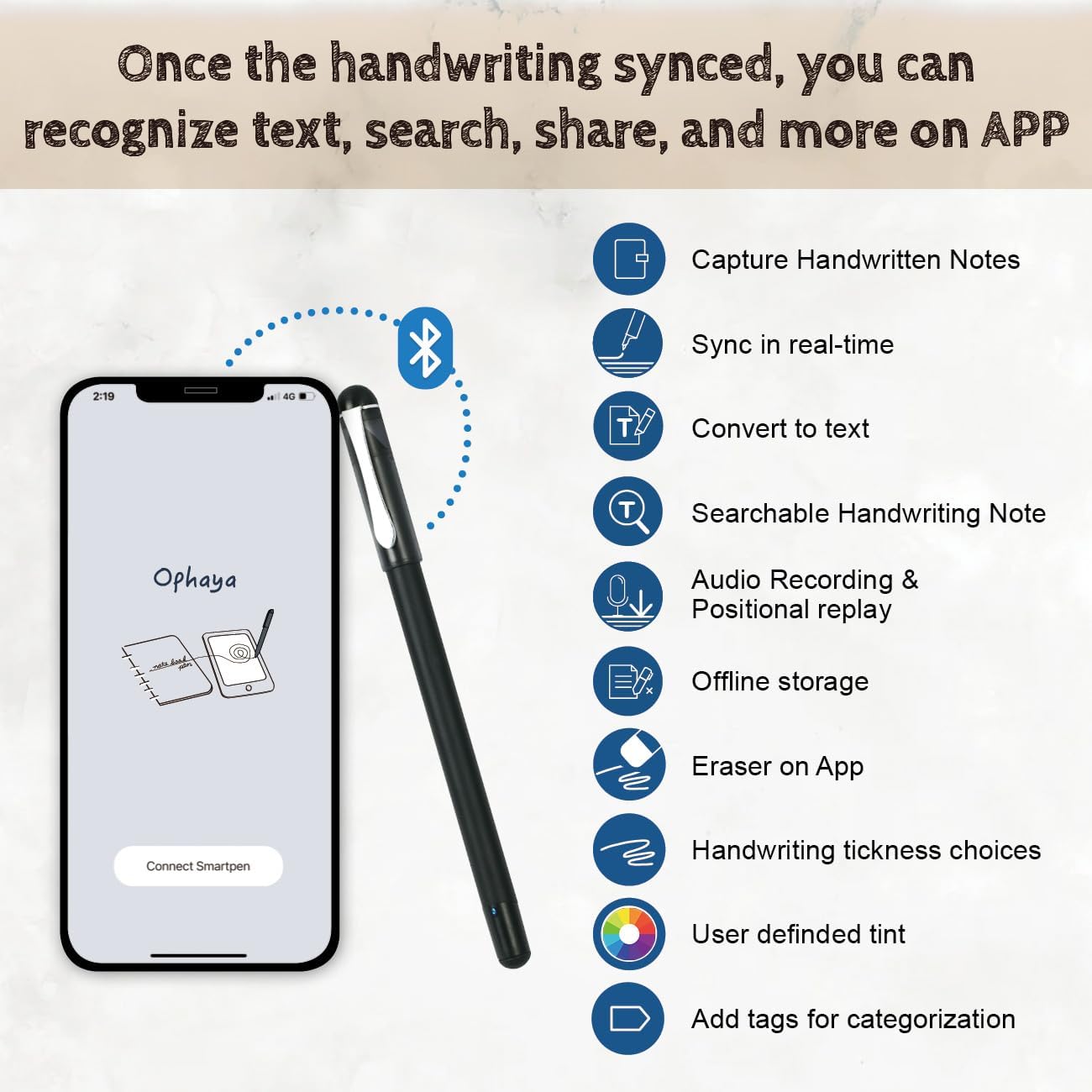
Ophaya SmartPen Writing Set is more than a pen—it's a complete writing solution. Ophaya smart pen captures handwritten notes/drawings in real-time, converting them to digital files that sync with the Ophaya Pro APP for editing,saving,sharing. Perfect for students, professionals, and creatives.
Compatible Ophaya NoteBook and Writing Board  Ophaya Paper Notebook
Once the smartpen is connected to the APP, all controls on notebook become active
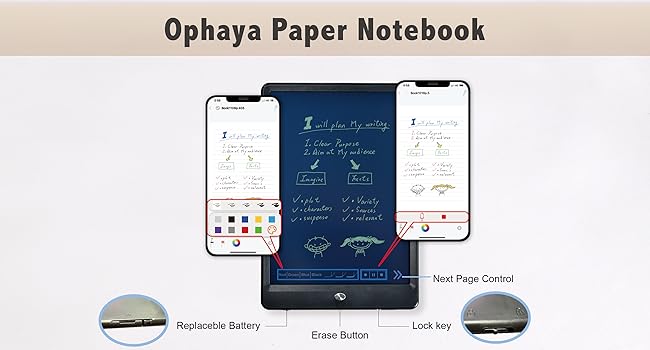 Ophaya Writing Board
Once the smartpen is connected to the APP, all controls on writting board become active
Ophaya pro+ APP
The video showcases the product in use.The video guides you through product setup.The video compares multiple products.The video shows the product being unpacked. digitalive your handwriting Merchant Video
Digitalize Your Handwriting
The ophaya pro+ app lets you digitize handwritten notes, syncing to your phone/tablet while keeping the feel of pen on paper. This offline-capable digital notebook stores up to 100 pages locally for later saving to your device.
The video showcases the product in use.The video guides you through product setup.The video compares multiple products.The video shows the product being unpacked. convert to text Merchant Video
Convert to Text
The smart pen use optical character recognition (OCR) to instantly capture handwriting as it's written and convert it into editable text.
The video showcases the product in use.The video guides you through product setup.The video compares multiple products.The video shows the product being unpacked. searable note Merchant Video
Searchable Note
Handwritten notes can be efficiently searched via keywords or tags, significantly streamlining the process of locating specific information. This feature not only saves time by eliminating manual (page-by-page searching) but also enhances organization, allowing users to quickly retrieve important content, reference key points, or revisit ideas.
The video showcases the product in use.The video guides you through product setup.The video compares multiple products.The video shows the product being unpacked. record Merchant Video
Add voice to your note Add voice to your notes
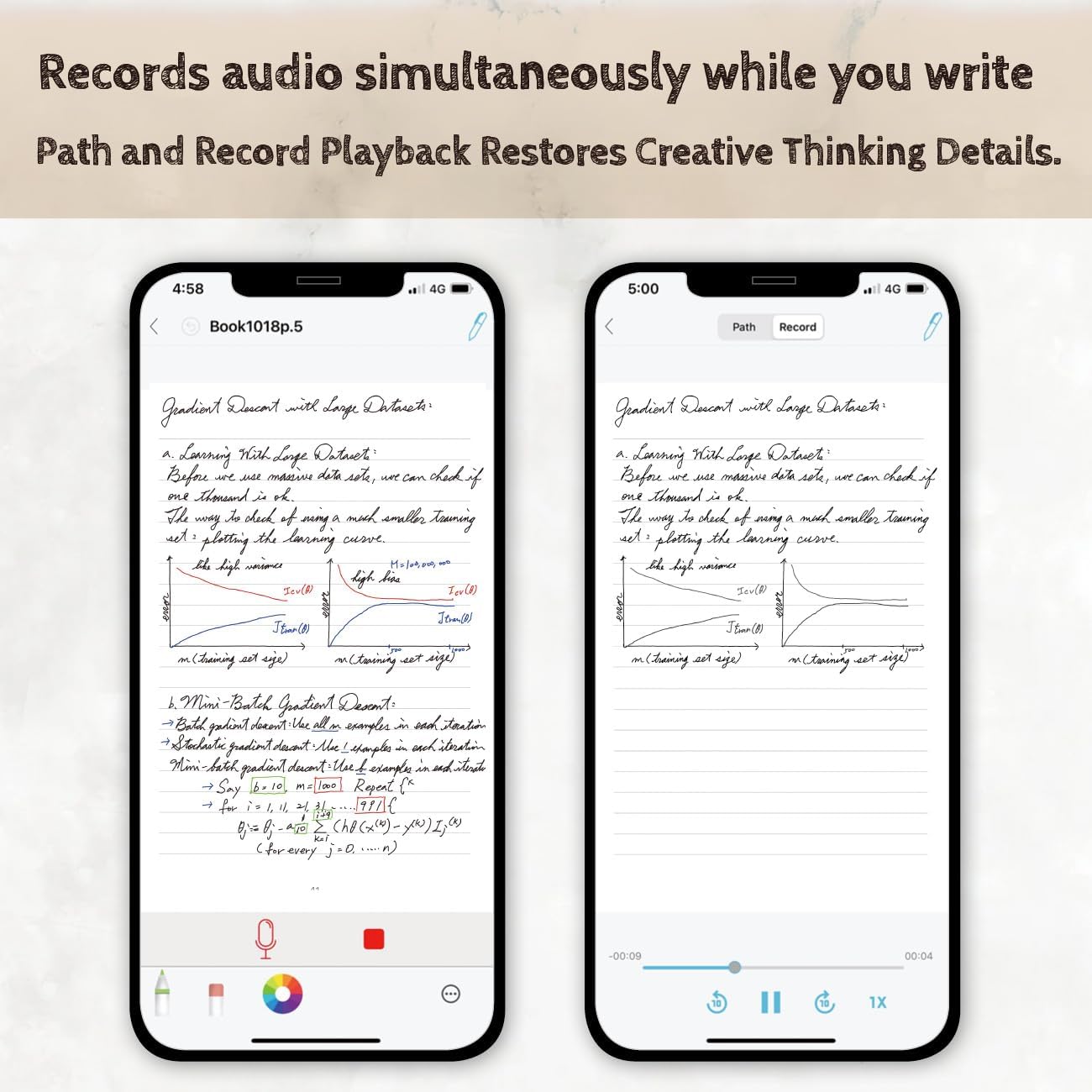
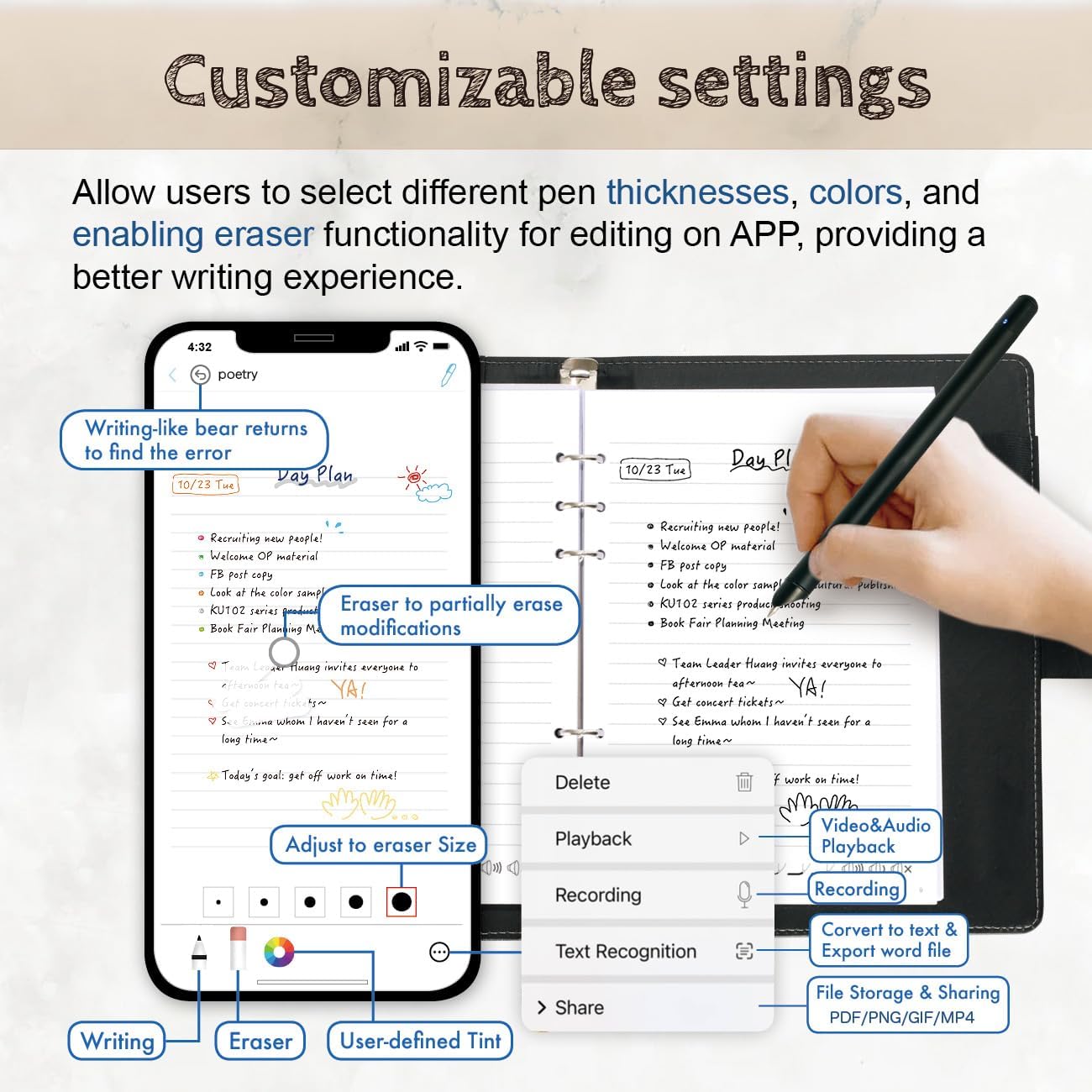
With the Ophaya pro app-integrated digital notebook/board, audio recording syncs seamlessly with your handwritten notes. Revisiting key moments is effortless: simply play back the audio on your mobile device while reviewing annotations, ensuring no detail slips through the cracks. This feature proves indispensable for students capturing lectures, educators prepping lessons, or professionals documenting meetings
The video showcases the product in use.The video guides you through product setup.The video compares multiple products.The video shows the product being unpacked. vedio Playback Merchant Video
Creative Process Replay Functionality
Smart pens equipped with playback recording and offline storage preserve every creative breakthrough, This feature suite caters to innovators, artists, and professionals who require seamless idea capture without relying on internet access, ensuring no inspiration fades before it’s fully realized.
The video showcases the product in use.The video guides you through product setup.The video compares multiple products.The video shows the product being unpacked. sharing Merchant Video
Easily Sharing
Instantly export or share your handwritten notes, creative sketches as images, pdf or MP4 files team members, or colleagues.

How the smart pen connect to the Ophaya Pro+ App
The video showcases the product in use.The video guides you through product setup.The video compares multiple products.The video shows the product being unpacked. Quick start guide Merchant Video

What should I do when the pen and paper refill runs out?
You can replace the refill. Replacement refills are available from the Ophaya online store.
Can the Smart Pen record audio?
The Smart Pen itself does not have a built-in microphone. To record audio, connect the pen to the app and tap the record icon in the app or on the notebook.
Can I write on any kind of paper?
No, the Smart Pen only works with Ophaya dot-coded paper
How do I pair the Smart Pen with the app?
Turn on the Smart Pen and make sure Bluetooth and Location Services are enabled on your phone. Open the app, tap the pen icon in the top-right corner, and select your device. Once connected, the icon will turn blue.
Is the writing board similar to a tablet?
No, the writing board is a simple writing tool. It has no software functions and is not a touchscreen device.
【Real-time Digital Recording and Syncing】 The smartpen allows you to write on paper as you normally would, while simultaneously capturing your handwritten text digitally. Sync your notes to your phone with the Ophaya Pro+ app(Suitable for iOS and Android smart phone), ensuring all your ideas are stored and accessible instantly.
【Searchable Notes】 Your handwritten text is searchable! The smart pen's handwriting recognition software allows you to search for specific words or phrases or tag within your notes, making it easier to find that important idea or key detail.
【OCR-Text Recogntion】 The digital notebook for note taking instantly converts your handwritten notes into editable digital text and then generate word file. Whether you're in class, at a meeting,or brainstorming ideas, everything is automatically digitized for easy storage and retrieval.
【Easy Sharing】 Share your handwritten notes(WORD/PDF/PNG/MP4/VEDIO) instantly with others, whether through email, social media, or direct messaging. Collaborate effortlessly with teams or classmates by sharing notes and ideas in real-time.
【Audio Recording】 Record audio while you write. The smart pen can sync the audio to the corresponding notes, so when you review your notes later, you can hear the audio that corresponds to your writing.
【Offline Storage】This feature allows you to continue writing and saving content even when not connected to your phone. Once reconnected, the saved content will automatically upload to the app, which is especially useful for preventing the loss of key information during work or class, helping you review important details later.
【Two Holidays, One Perfect Gift】Thoughtful, Versatile Thanksgiving Gifts for Family Adults Women Men Coworkers Teachers Students Guest Friends on Your List.
Customers say
Customers find the smart pen works well and appreciate its high-quality construction, considering it great value for money. They praise its writing capabilities, with one customer noting it automatically records everything written during school, while another mentions it's easy to switch between traditional and digital note-taking. The pen effectively saves paper, and customers find it easy to use. While some customers say it's built to last, opinions about durability are mixed, and there are mixed views about the app features.
(as of Oct 25, 2025 12:57:16 UTC - Details)
RELATED PRODUCTS
REVIEWS
Reviews
There are no reviews yet.