
| Screen Resolution | 3840 x 2160 |
|---|---|
| Processor | 2 GHz celeron |
| RAM | 8 GB DDR4 |
| Hard Drive | 128 GB SSD |
| Chipset Brand | Intel |
| Card Description | Integrated |
| Number of USB 3.0 Ports | 2 |

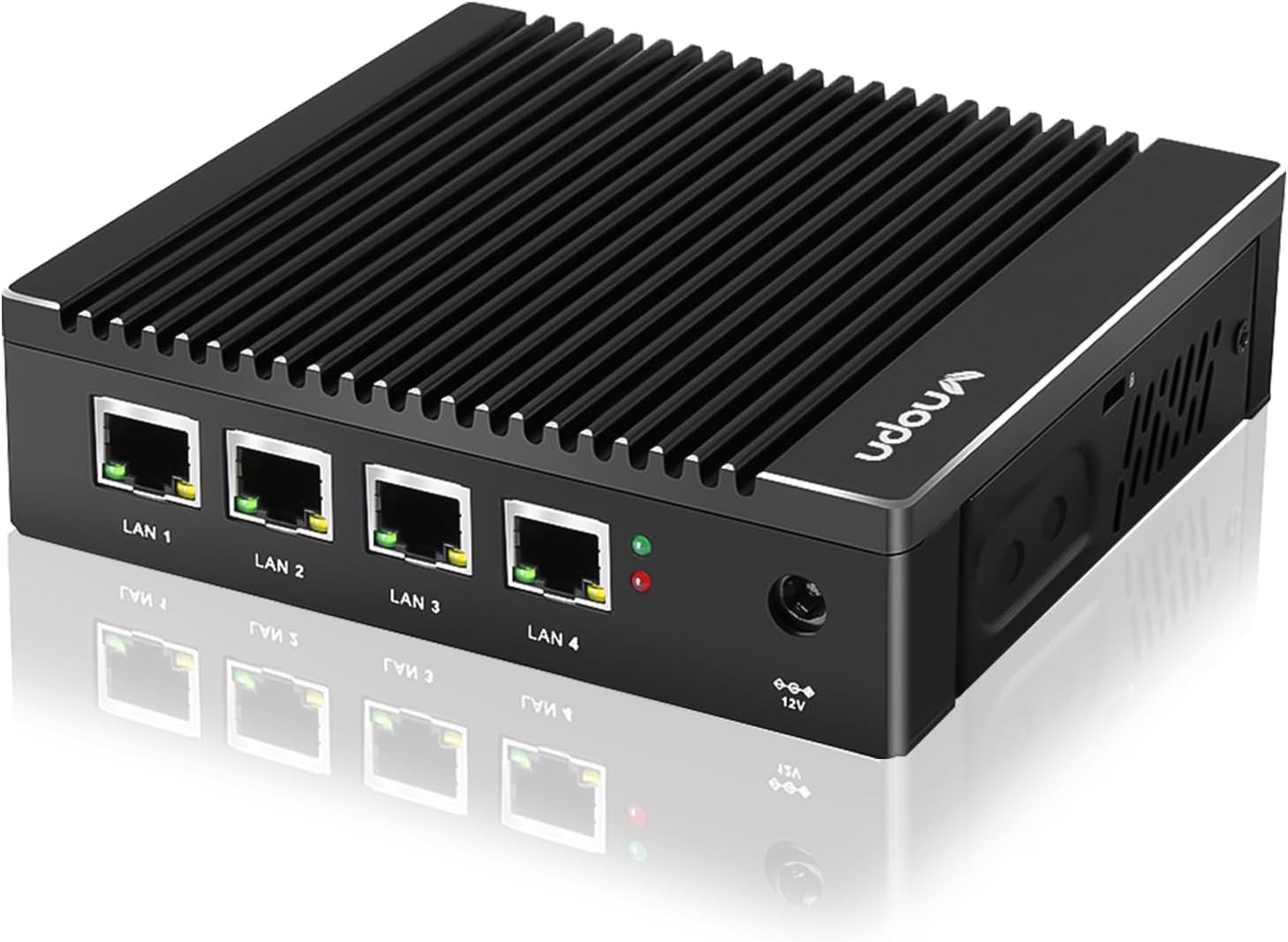

Micro Firewall Appliance Intel J4125 Quad Core, 4 Intel 2.5GbE i225 LAN Ports Fanless Mini Computer 4GB RAM DDR4 64GB mSATA SSD, Network Gateway Soft Router, Support AES NI
$209.00
OVERVIEW
(as of Nov 17, 2025 05:51:45 UTC - Details)

Additional Information
| ASIN | B0BYDRZDW7 |
|---|---|
| Customer Reviews |
4.2 out of 5 stars |
| Best Sellers Rank |
|
| Date First Available | May 12, 2023 |
Warranty & Support
Product Warranty: For warranty information about this product, please click here
Product description

PROS:
+ In-tel i225 NIC---It adopts In-tel i225 chip and 4x In-tel 2.5GbE NIC ports to improve your network throughput and stability
+ Compatible with Diverse OS---Supports a range of popular open source firewall software
+ Completely Silent---It uses fanless design to give you a quiet office space and support 24/7 hours running
+ Full Aluminum Case---It doesn't have moving parts, which increases it’s durability in less than ideal environments
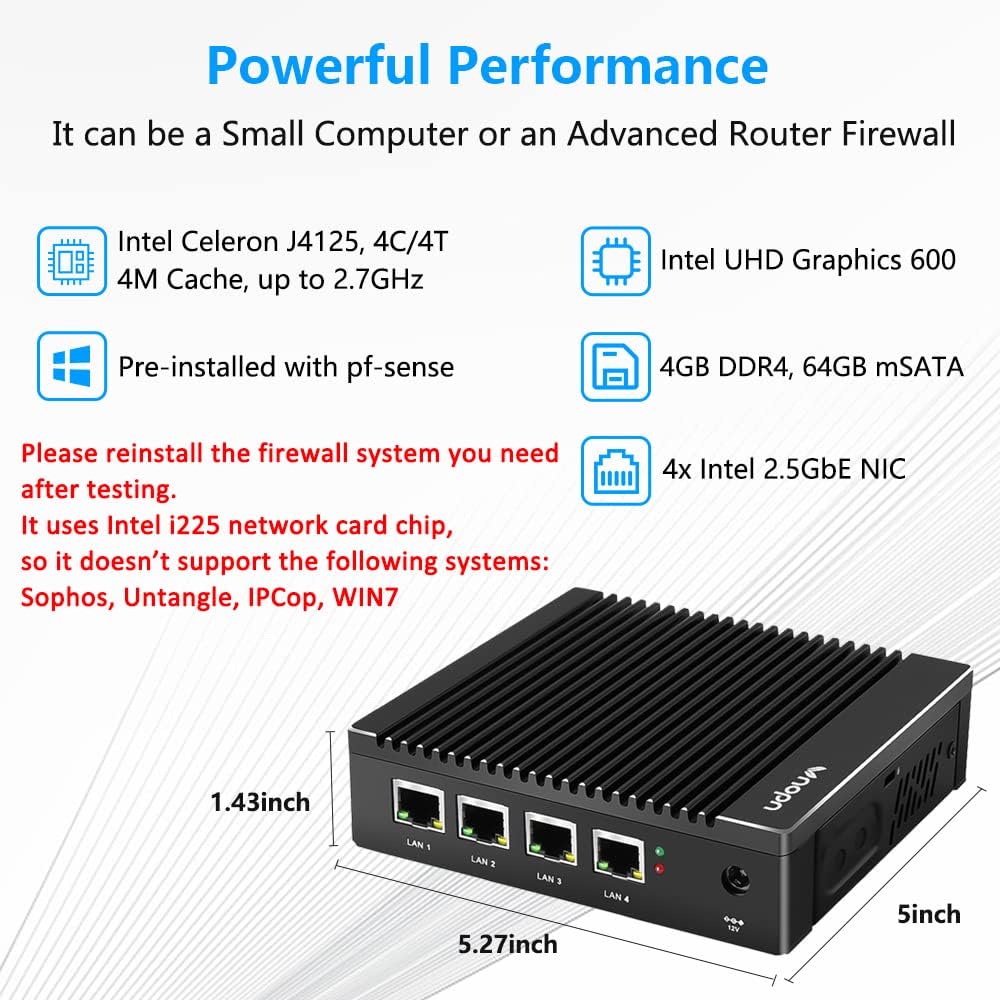
+ Save Space---Small body size, only 5.27 x 5 x 1.43 inch, and it has a VESA bracket, which can be mounted behind the monitor
+ 10W TDP---Low power consumption to greatly save energy
CONS:
- Only 1x SODIMM Slot---The max ram it supports is only 16GB
- Warmish Case---Due to the fanless design, the whole case is a big heat sink, which conducts heat to the case when it's running
- Reinstall the system---Because it has been installed a system by default, if you need to use it with other firewall system as a firewall/soft router, you need to reinstall the system yourself. It's an ideal device for experienced users/hobbyists but may be a little tricky for beginners
Please Note that this micro firewall appliance comes with In-tel i225 NIC, it's not compatible with Sophos/Untangle/IPCop/
NOTE: To reinstall the OS from USB, please hold the "DEL" key down immediately after power-up to enter BIOS mode, then modify boot device.
For more steps of reinstalling the system, please refer to this pdf document "Installation Manual" under product details or the FAQ page of our VNOPN Store.

 Why Choose Vnopn? 1) Original Manufactory over 12 Years 2) Working Directly with Original Chipset Factory 3) Offering Product Customization Solution 4) Safety Stock & Patented Case Design
Vnopn F12 Mini PC
Used as an Advanced Firewall Router
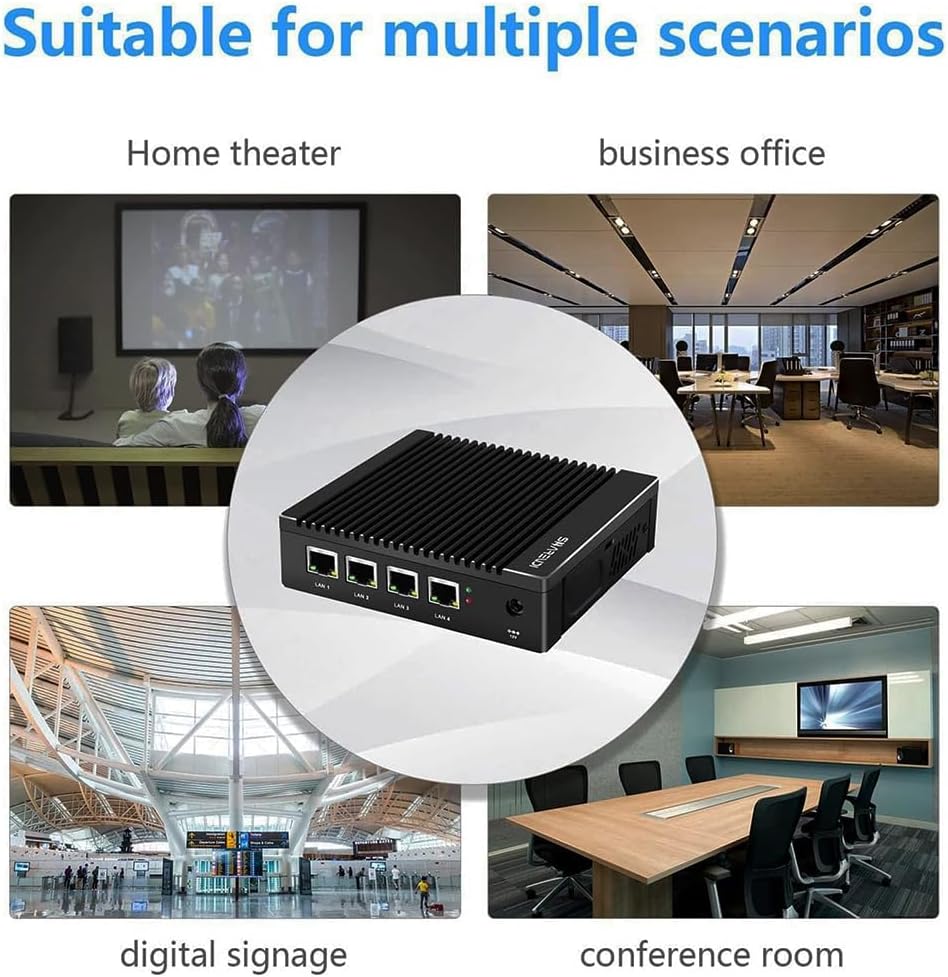
This compact pc has 4x In-tel 2.5Gigabit LAN ports, you can configure it as a firewall, LAN router, VPN appliance, intelligent gateway(Internet), edge computing terminal, etc.
Used as a Smart Mini Computer
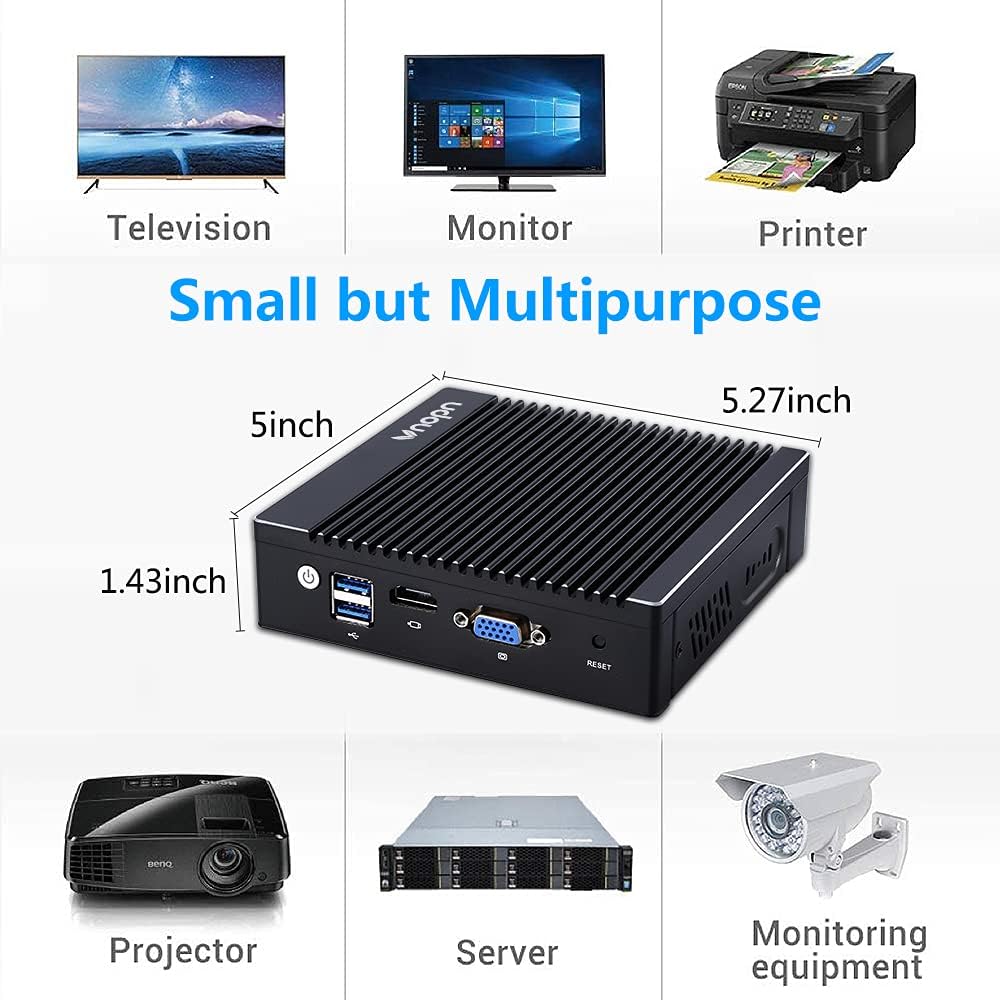
You can re-install this fanless mini pc and connect the monitor, keyboard & mouse to it, then power on, and it will work as a mini desktop computer.
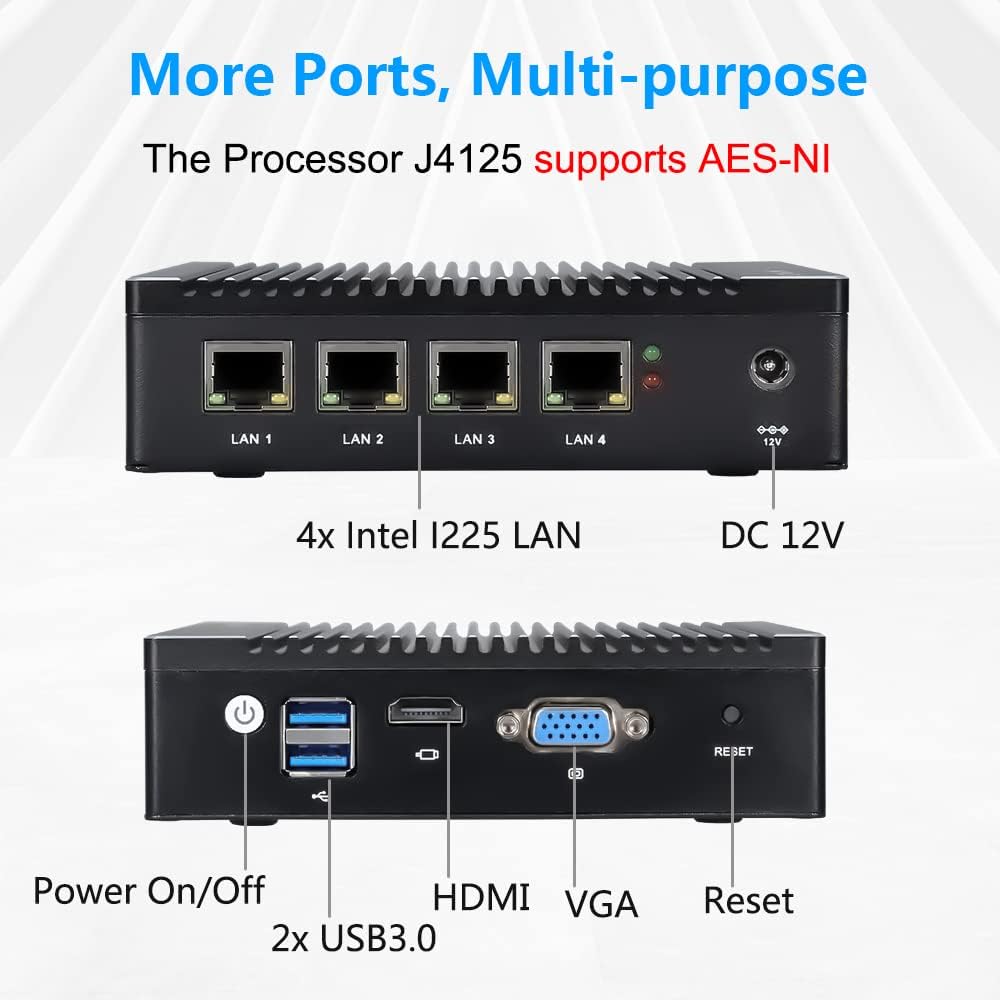
CPU In-tel Celeron J4125, Quad-core 4 threads, 4 MB Cache; 2.0GHz, up to 2.7GHz GPU In-tel UHD Graphics 600 AES-NI Support I/O 1x HD-MI, 1x VGA, 4x In-tel I225 LAN, 2x USB3.0, 1x Reset, 1x DC IN, 1x Power Switch Boot Mode PXE / Auto-Power-On / Wake-On-LAN (Press "DEL" to enter BIOS) RAM 4GB, 1x DDR4L slot, max support to 16GB SSD 64GB, 1x mSATA slot, max support to 512GB (Please note: there is another mini pcie interface on the motherboard, but it's only for WiFi module) Extendable Storage It also supports a 2.5inch SATA, up to 2TB HDD (You also can extend the hard disk via usb) Network Supports 4x In-tel 2.5G Ethernet (In-tel i225 Chipset)

Support 3G/4G
There is one slot on the motherboard for SIM card or mini pcie WiFi module.
If you use 3G/4G, it will can't use WiFi, you can only use one of WiFi and 3G/4G.
(NOTE: WiFi or 3G/4G module is not included, it needs extra cost. WiFi module must be USB Channel communication)

4x 2.5GbE LAN Port
This 4 lan mini pc has rich I/O ports: 1x HDMI, 1x VGA, 2x USB3.0, 4x RJ45 LAN, 1x Reset.
It adopts In-tel I225 chip, supports 4x 2.5GbE network. Low-power hardware, but stable and high speed, good compatibility, and wider network application fields.
In-tel Ethernet chip i225v support speeds up to 2.5 GbE networking,but this is a new NIC and some operation systems does not have 2.5G NIC driver for it yet,it can work at 1G only if the 2.5G driver of the system installed is not available.For example,with Pfsense system has 1G NIC driver only and ubuntu 22.04 has both 1G and 2.5G NIC drivers available.So the device would work at 1G if the system installed is with Pfsense.

Fanless Cooling Design
This small computer comes with fanless passive cooling design and aluminum case to make it heat dissipation faster, quiet and 0 noise when working, supports 24/7 hours running.
Fanless enclosed housing design makes it suitable for harsh industrial applications.

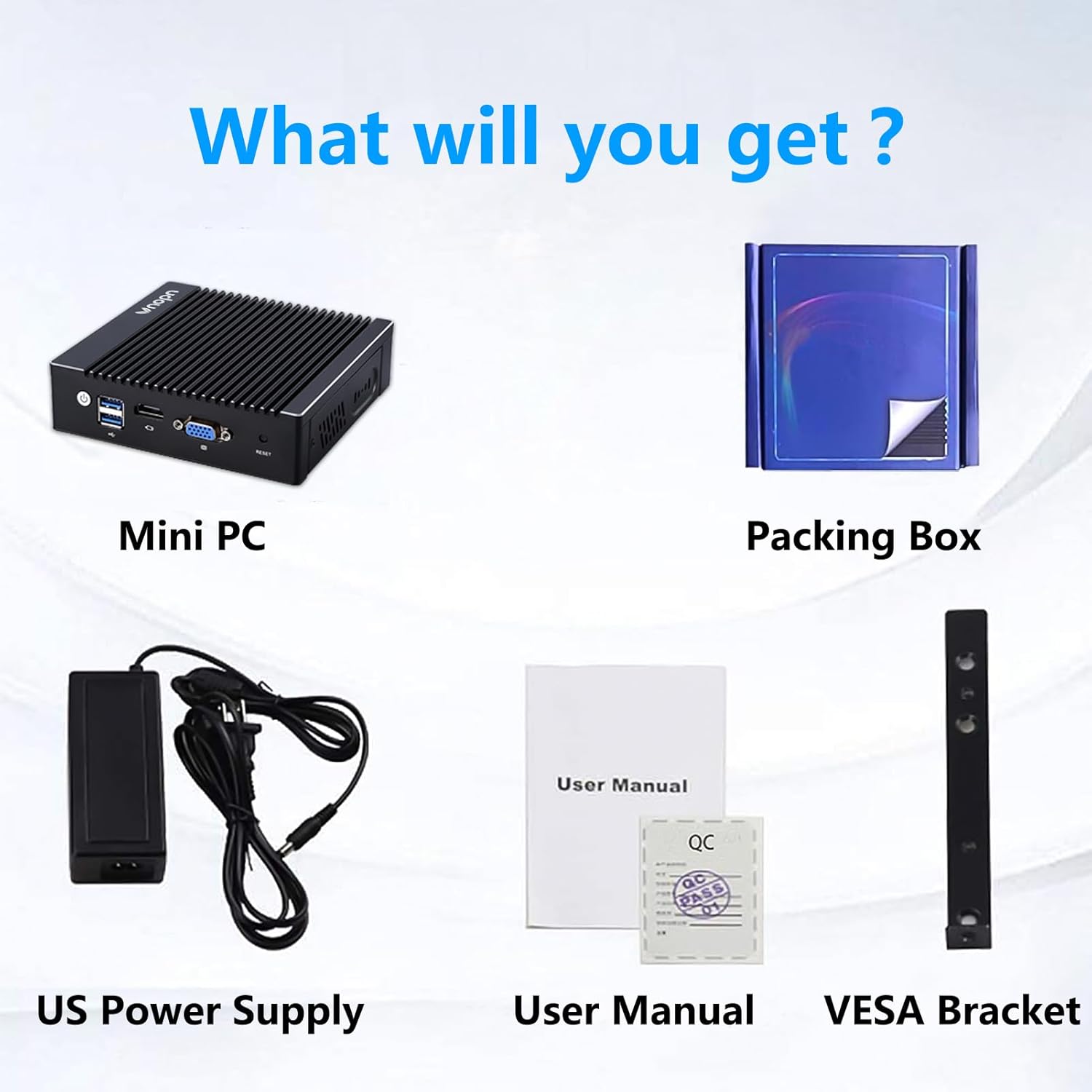
What Will You Get?
(1) Vnopn Mini PC; (2) Packing Box; (3) US Power Supply;
(4) User Manual; (5) Back Mount Bracket & Screws
Operating System:
This smalll computer has been installed with a system, if you need, you can re-install it with P-F-SENSE, linux ubuntu and a variety of popular open-source firewall software on this device, it's compatible with pfsense and also compatible with opnsense/dd-wrt/FreeBSD/ClearOS/CentOS/OpenVPN, etc.

Frequently Asked Questions
Q1: What should I do when this fanless mini PC doesn't boot up?
A1: 1. Check whether the memory is connected properly and re-plug it; 2. Use other memory in good condition to test.
Q2: What should I do when there is no display via HDMI/VGA port of this firewall appliance?
A2: 1. Confirm that the monitor and cables are in good condition; 2. Discharge the BIOS and check again. Steps: Open the back cover, take off the button battery on the motherboard, wait a few minutes, and put it back; 3. Use good RAM to test.
Q3: What should I do when I cannot enter the BIOS interface of this firewall pc?
A3: 1. Press and hold the "reset" key on the side of the device to reset and check again; 2. Discharge the BIOS and check again. Steps: Open the back cover, take off the button battery on the motherboard, wait a few minutes, and put it back.
Q4: What should I do when I install the system but I get the following error: " can’t find '/boot/entropy' " and " can’t find '/boot/hostid' "?
A4: 1. Turn off the power and restart to enter the BIOS again, change the settings to: Advanced > CSM Configuration > Boot option filter > UEFI only; 2. If it still can't be resolved, please replace a USB disk to re-create a bootable USB drive.
Q5: What should I do when I set the BIOS of this J4125 4 LAN Mini PC to turn off auto-power-on, but it doesn't work?
A5: There is a jumper cap behind the power button, please switch the position of the jumper cap connection as shown in the figure on our store FQA page.
Q6: How to install this L-shaped back mount?
A6: Please refer to the installation steps shown on our store FAQ page.
【Stable Processor & OS】This 4 nic mini pc uses Intel Quad cores J4125 Processor, up to 2.7GHz, supports AES NI. It tested with pf-sense linux ubuntu and other popular open source firewall router software. Support Auto Power On, Wake on LAN, RTC wake and PXE boot ("DEL" key to enter BIOS), Pre-installed system.
【4x Intel 2.5GbE Ethernet Ports】 This fanless mini pc all uses Intel i225 chip, supports 4x 2.5 Gigabit ethernet to keep stable and high speed. It has a good compatibility for soft routing, home firewall and other network appliances. This compact pc has more I/O Interface to meet your more needs: 1x HD, 1x VGA, 4x RJ45 LAN, 2x USB3.0, 1x DC IN
【Capacity Storage】 This small firewall box comes with 4GB DDR4 RAM and 64GB mSATA SSD. The memory has 1x sodimm slot, max support to 16GB. The storage is 1x mSATA, max support to 512GB. Large storage can meet the vpn router box requirements of different network security firewall software and hypervisor applications
【Portable & Silent】This small form factor PC built for micro firewall appliance and edge router use, it’s only 5.27 x 5 x 1.43 inch and 0.6kg and has a mounting bracket that allows it to be hung on the back of the monitor or TV to save more space. In addition, this mini computer uses fanless passive cooling design and has low power consumption to save energy and 24/7 hours quiet running
【Package List & Service】1x Vnopn firewall hardware, 1x 12V/3A power adapter, 1x US power plug, 1x user manual, 1x Back mount bracket & Screws. if you have any questions, we will reply to you and provide you with a solution.
Customers say
Customers find the firewall appliance sturdy and stable, with positive feedback about its hardware quality and security features, with one customer noting it's ideal for secure home labs. The functionality and connectivity receive mixed reviews - while some report it runs fantastically well and works perfectly with pfsense, others mention it crashes the NIC and has no video output from HDMI. The heat resistance is also mixed, with customers noting it gets quite hot when in use. The port capacity receives mixed feedback, with one customer highlighting its multiple 2.5GbE LAN ports.
(as of Nov 17, 2025 05:51:45 UTC - Details)
RELATED PRODUCTS
REVIEWS
Reviews
There are no reviews yet.